📌 Introduction
Filing GST returns is mandatory for every registered business in India. Whether you have sales or not, you must file GST returns every month to avoid penalties.
In this guide, we will explain:
- How to file GST returns step-by-step
- How to file NIL returns
- How to claim ITC (Input Tax Credit)
- Different business scenarios
🔐 Step 1: Login to GST Portal
- Go to GST Portal
- Login with your credentials
- Click on Dashboard → FILE RETURNS → Returns Dashboard
- Select:
- Financial Year
- Quarter
- Month
- Click Search
📊 Step 2: Understand GST Returns
You will see:
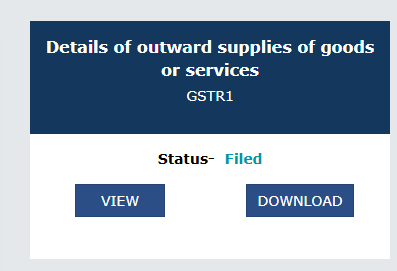
- GSTR-1 → Sales (Outward Supplies)
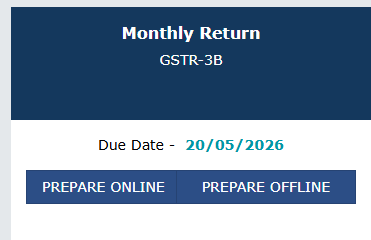
- GSTR-3B → Monthly Summary + Tax Payment
Nill Returns file (No Sales, No Purchases)
When to use:
- No sales
- No purchases
Steps:
👉 GSTR-1:
- Click Prepare Online
- Select NIL Return
- File with EVC
👉 GSTR-3B:
- Select Yes for NIL
- File directly
✔ No tax
✔ No ITC
SCENARIO 2: NO SALES BUT PURCHASES (ITC CASE - Input Tax Credit) file
See the Monthly Return GSTR-3B
When to use:
- No sales
- You received purchase invoices
Steps:
👉 GSTR-1:
- File NIL GSTR-1
👉 GSTR-3B:
- Do NOT select NIL
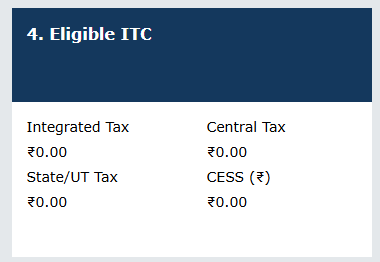
- Go to Eligible ITC (Table 4)
- Enter:
- CGST
- SGST / IGST
- Save → Preview
- Click Proceed to Payment
- Click Make Payment / Post Credit
- Click Proceed to File
✔ Tax payable = 0
✔ ITC saved for future
-> Click on "PREPARE ONLINE "
It will ask you to fill Nill Return , click on No and proceed with NEXT button
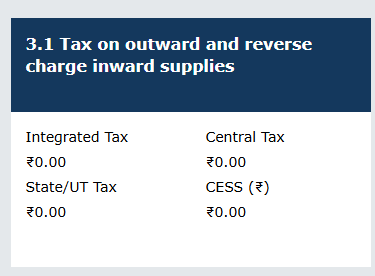
Now 3.1
SCENARIO 3: SALES WITH NO PURCHASES
When to use:
- You made sales
- No ITC available
Steps:
👉 GSTR-1:
- Add invoice details
- File return
👉 GSTR-3B:
- Enter sales in 3.1 Outward Supplies
- No ITC in Table 4
- Click Proceed to Payment
- Pay tax via challan
- File return
✔ Tax must be paid
SCENARIO 4: SALES + PURCHASES (MOST COMMON)
When to use:
- You have sales
- You have ITC
Steps:
👉 GSTR-1:
- Add all invoices
- File
👉 GSTR-3B:
- Enter sales
- Add ITC in Table 4
- Click Proceed to Payment
- Click Offset (Post Credit)
- Remaining tax (if any) → pay
- File return
✔ ITC reduces your tax
📥 What is ITC (Input Tax Credit)?
ITC means the GST you paid on purchases can be used to reduce your tax liability.
Example:
- GST on sales = ₹10,000
- ITC available = ₹3,000
👉 You pay only ₹7,000
⚠️ Important Points
- Always file GST returns even if no business
- Check GSTR-2B before claiming ITC
- Keep invoices properly
- File before due date to avoid penalty
📅 GST Due Dates
- GSTR-1 → 11th of next month
- GSTR-3B → 20th of next month
🧾 Conclusion
GST filing becomes easy once you understand the flow. Whether you have NIL returns, ITC, or sales, following the correct steps will help you avoid errors and penalties.
🔥 BONUS (Optional Add in Blog)
📌 Pro Tip
Maintain a simple Excel sheet for:
- Sales
- Purchases
- GST amounts
This will make filing very easy every month.
Comments
No comments yet.