
Here's how to set up a email on an Android phone or tablet:
1. Open the Gmail App in mobile/tab
2. Click on the Profile icon and click on add new account / another account

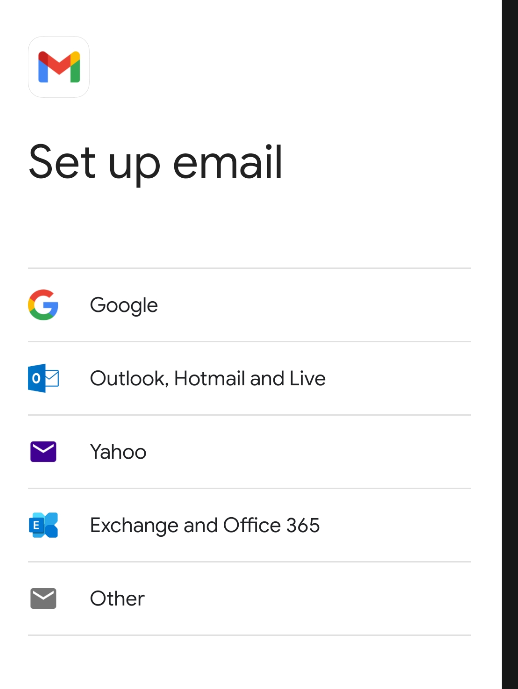
3. Then Click on Other or Other(IMAP) Option/button
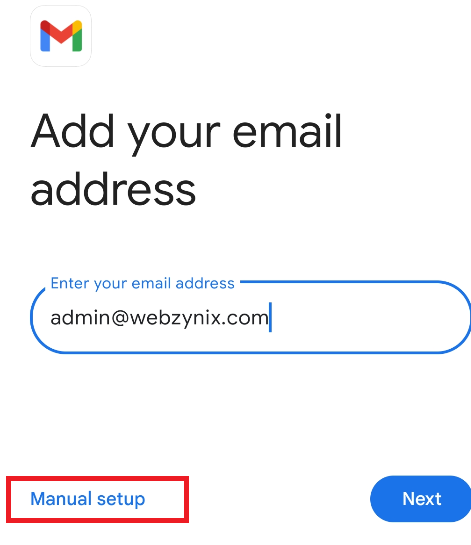
4. Add Your Email address page click on "Manual Setup"
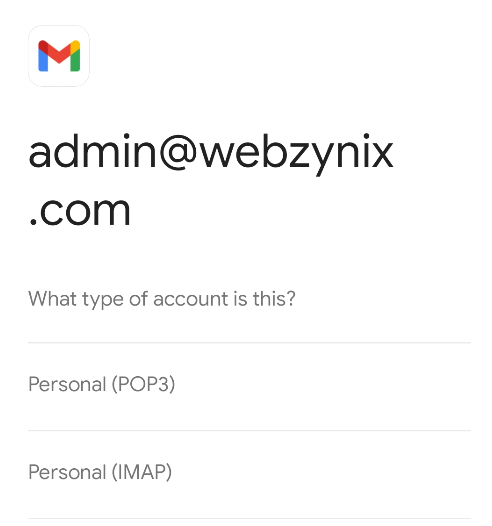
5. After click on Manual setup, click on Personal(IMAP) button
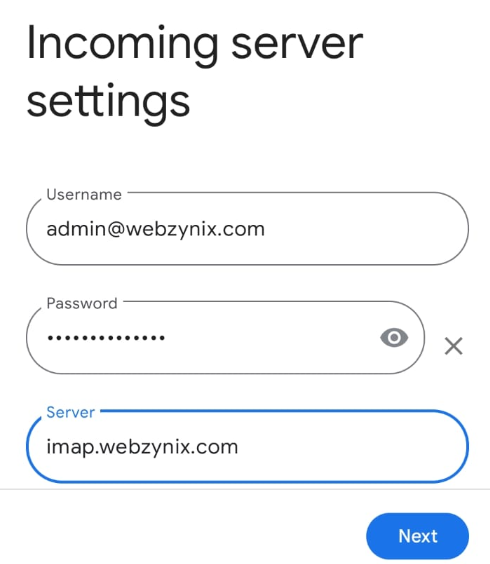
6. In Coming Server setting page , udate teh user name as your mail id , and password of your mail id and server should be "imap.webzynix.com"
( Security Type to SSL or SSL/TLS, Port 993 if asked)
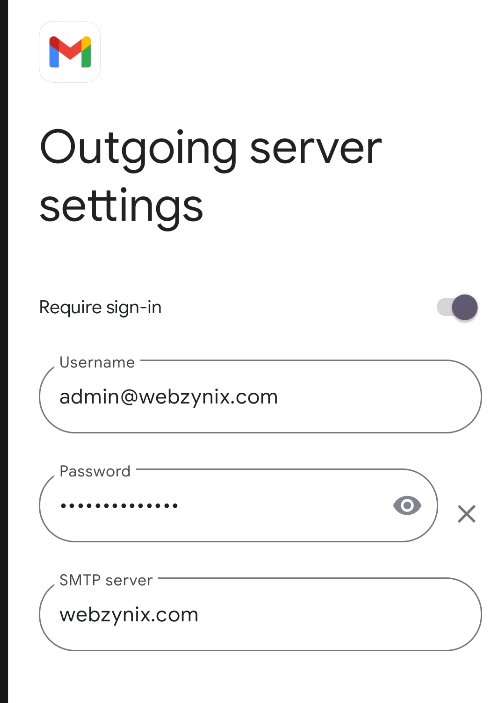
7. In the Outgoing server setting :
User name : your mail id
Password : your mail password
SMTP Server : smtp.webzynix.com
(Security Type to SSL or SSL/TLS and Port 465 if asked)
Note : In screen shot SMTP sever name wrong, please use above mentioned one
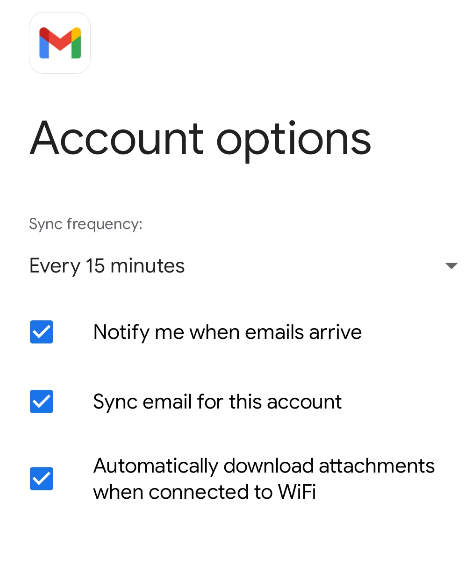
8. Account Options :
Select the all check boxes and click on Next
9. Your account is set up and emails on their way! set up page :
Account name keep it as your mail id and upadate you name as "yourname-webzynix" (to differenciate between personal and company mail)
then click on next.

Note: the same settings and configurations can be set in Microsoft Outlook as well. based on your preference configuration
Comments
No comments yet.